
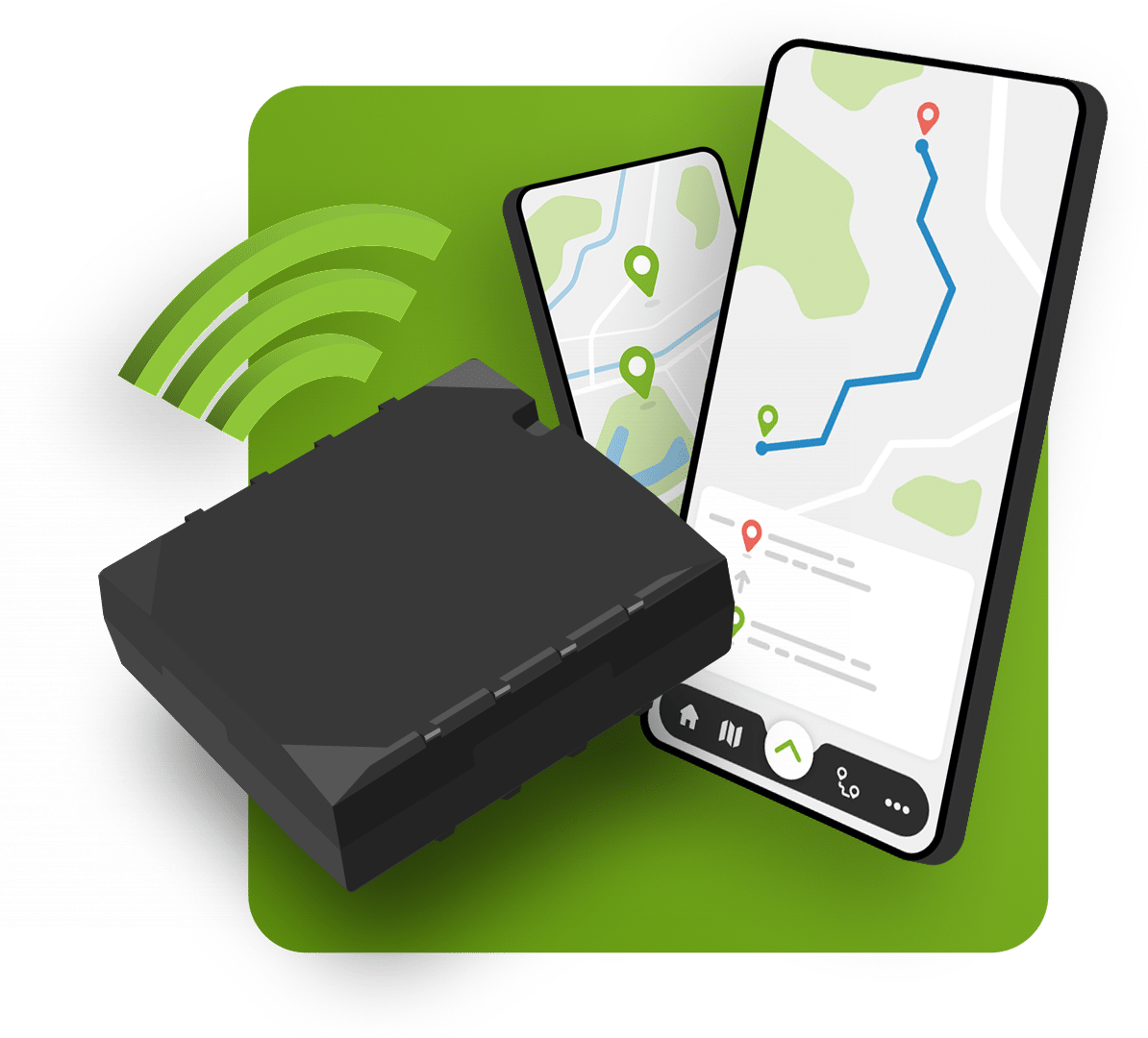
Accurate automatic journey logging for the tax authorities
- Tax-compliant with the Ritregistratiesystemen Quality Mark
- Includes GPS track & trace and a 7-year retention period
- Gain insight into driving behaviour and CO₂ emissions
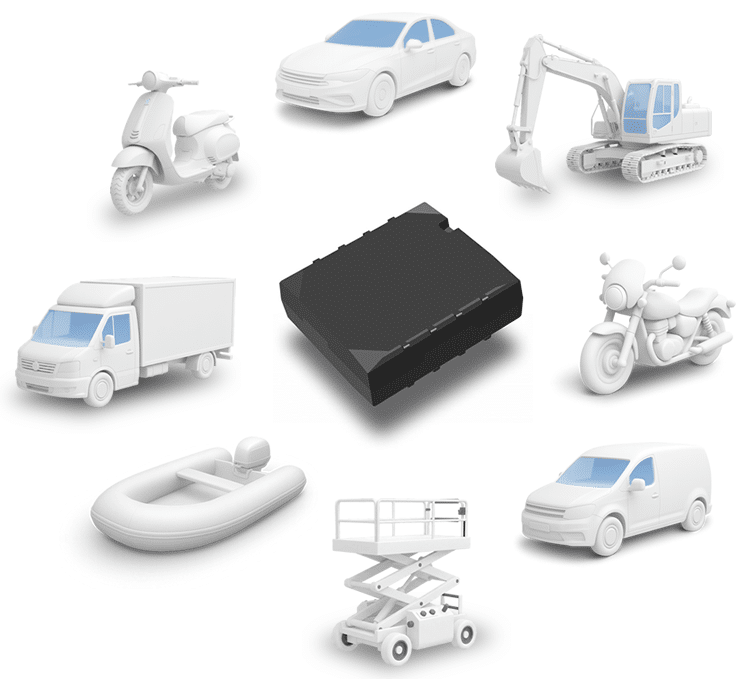
Simple, affordable and comprehensive journey logging
Whether you want to track the mileage of your private car, lease car or the fleet you manage: TrackJack takes care of it for you.
Our GPS journey recording system, a compact device installed in the car, automatically records all journeys and mileage. It fully complies with the requirements of the Journey Recording Systems Quality Mark, so it meets the Tax and Customs Administration’s expectations exactly.
Avoid problems with HM Revenue & Customs.
Yes. The TrackJack PRO Tax meets all the requirements set by the tax authorities for a comprehensive online journey log and is certified with the Journey Logging Systems quality mark (RRS quality mark).
This means you can be sure that your journey log is 100% tax-compliant.
- TrackJack PRO Tax is certified for accurate journey logging
- More than 60,000 vehicles in the Netherlands rely on the same system
- No manual data entry, no separate Excel files
- No uncertainty regarding the tax authorities
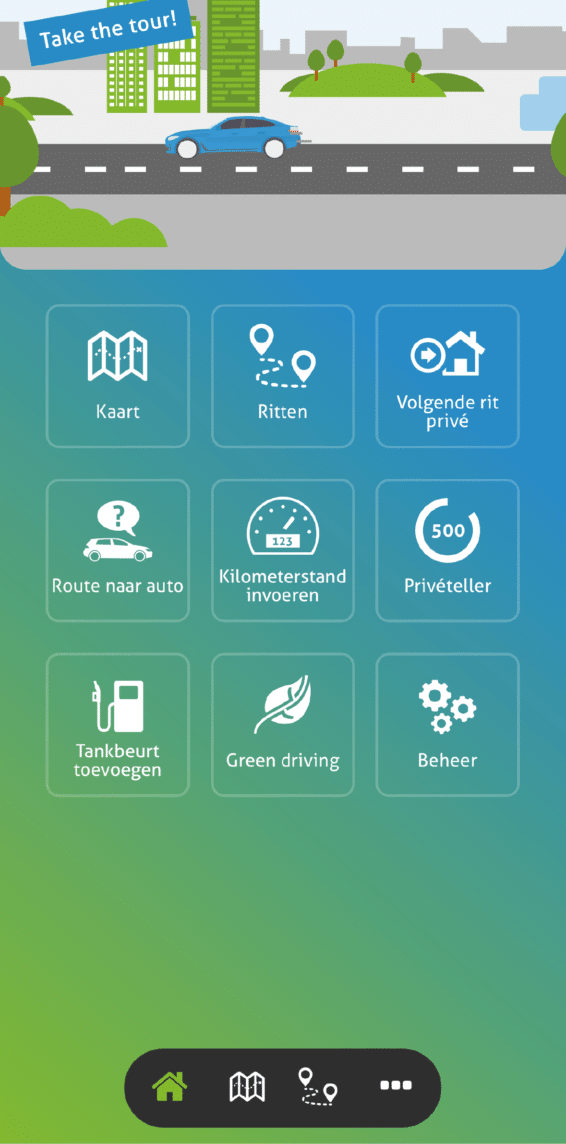
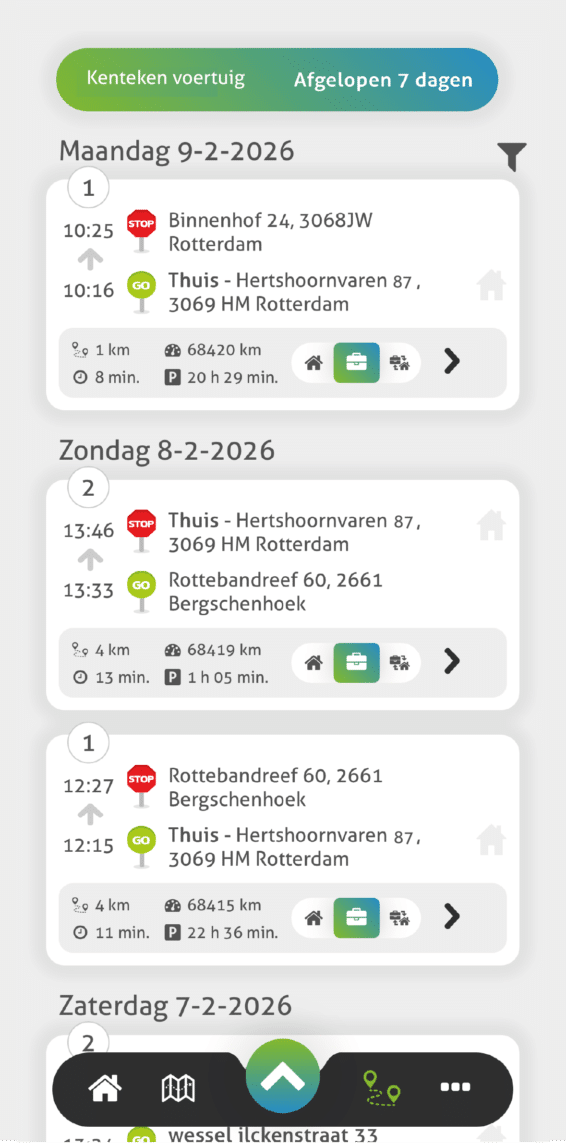
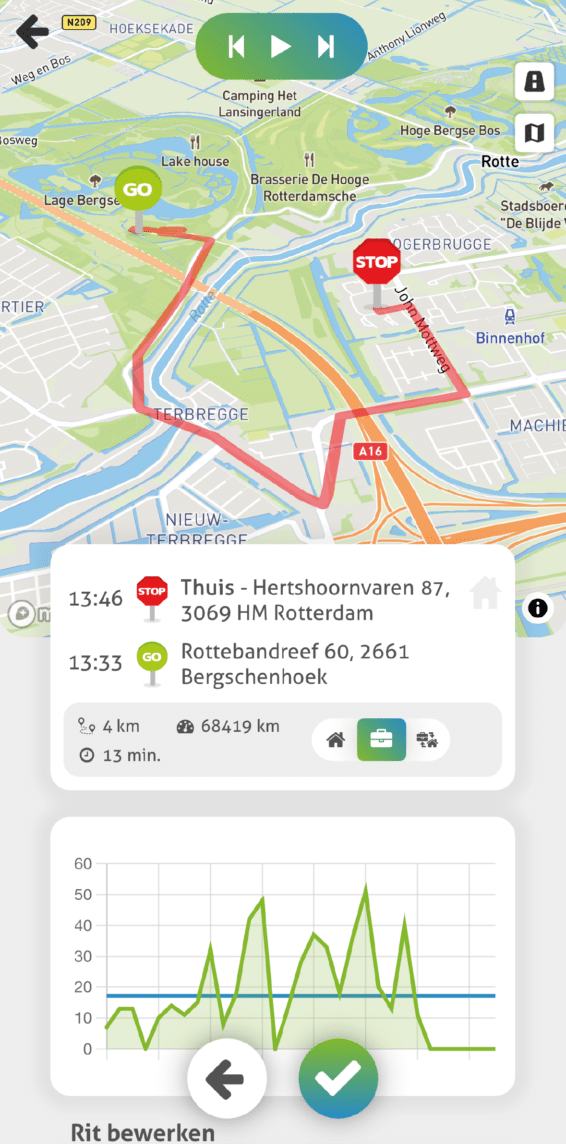
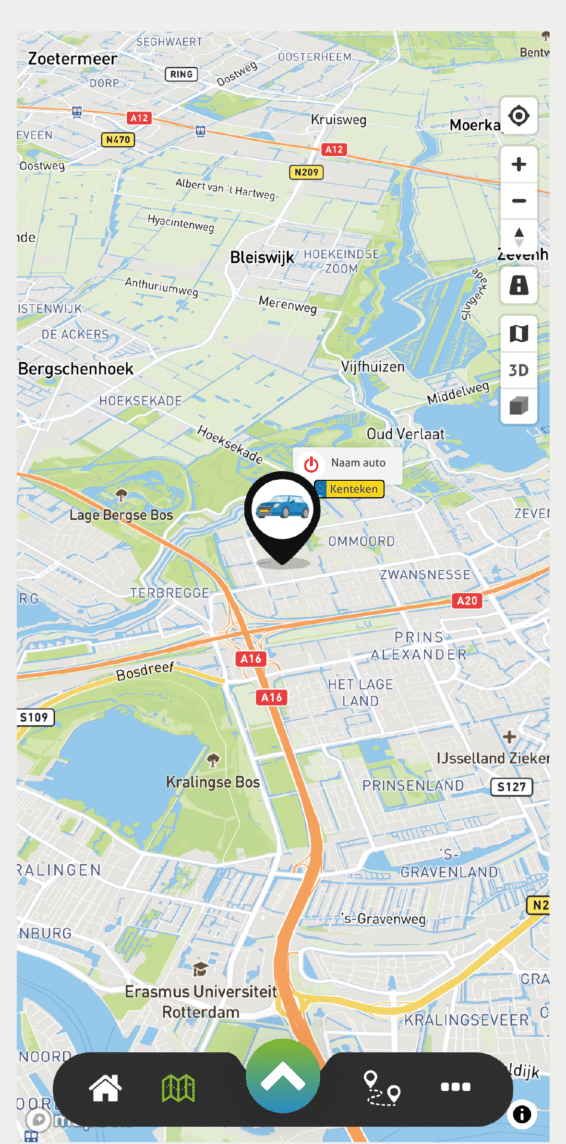
Your journeys, always at your fingertips in the app
Your journeys, always at your fingertips in the app
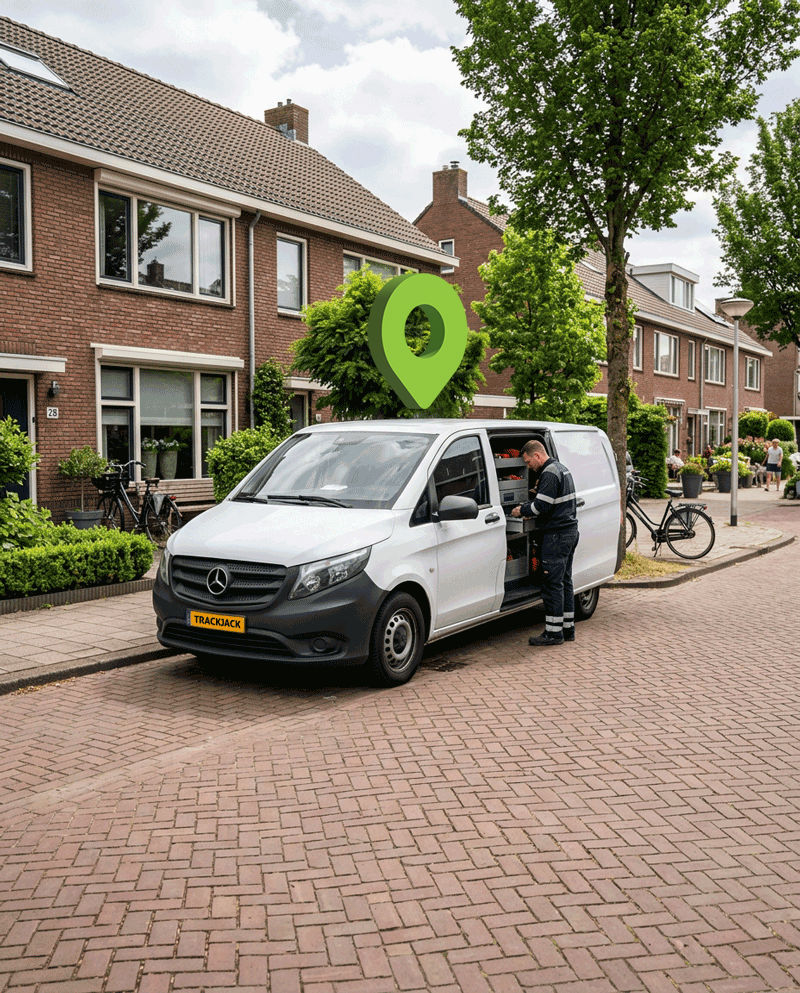
Installation at your premises
You don’t need to go anywhere. Our professional technicians will simply install the journey recording system at your premises.
We’ll come to a location of your choice in the Netherlands, at a fixed low rate per installation. That could be at your office, but just as easily at your home.
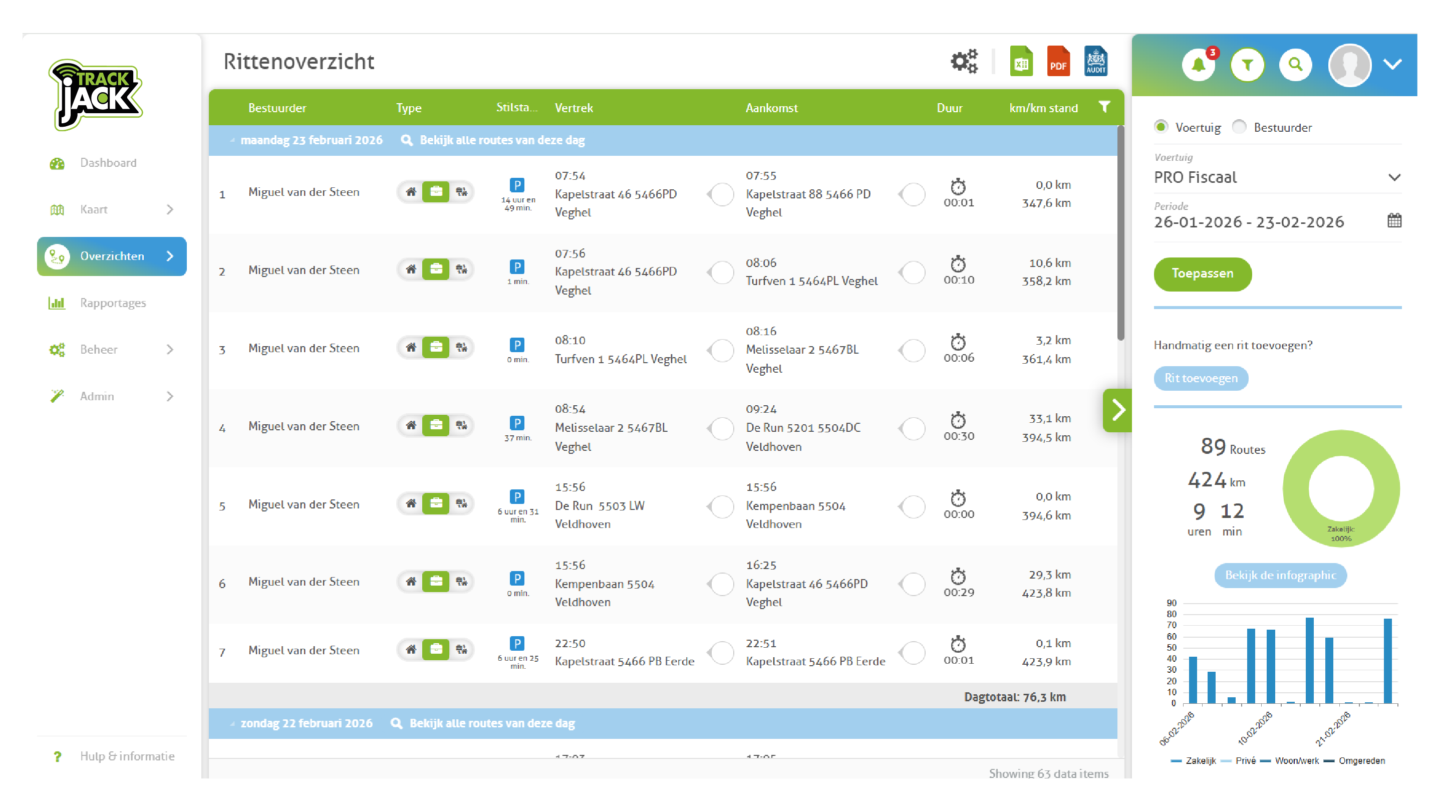
Online portal: comprehensive overview, reports at the click of a button
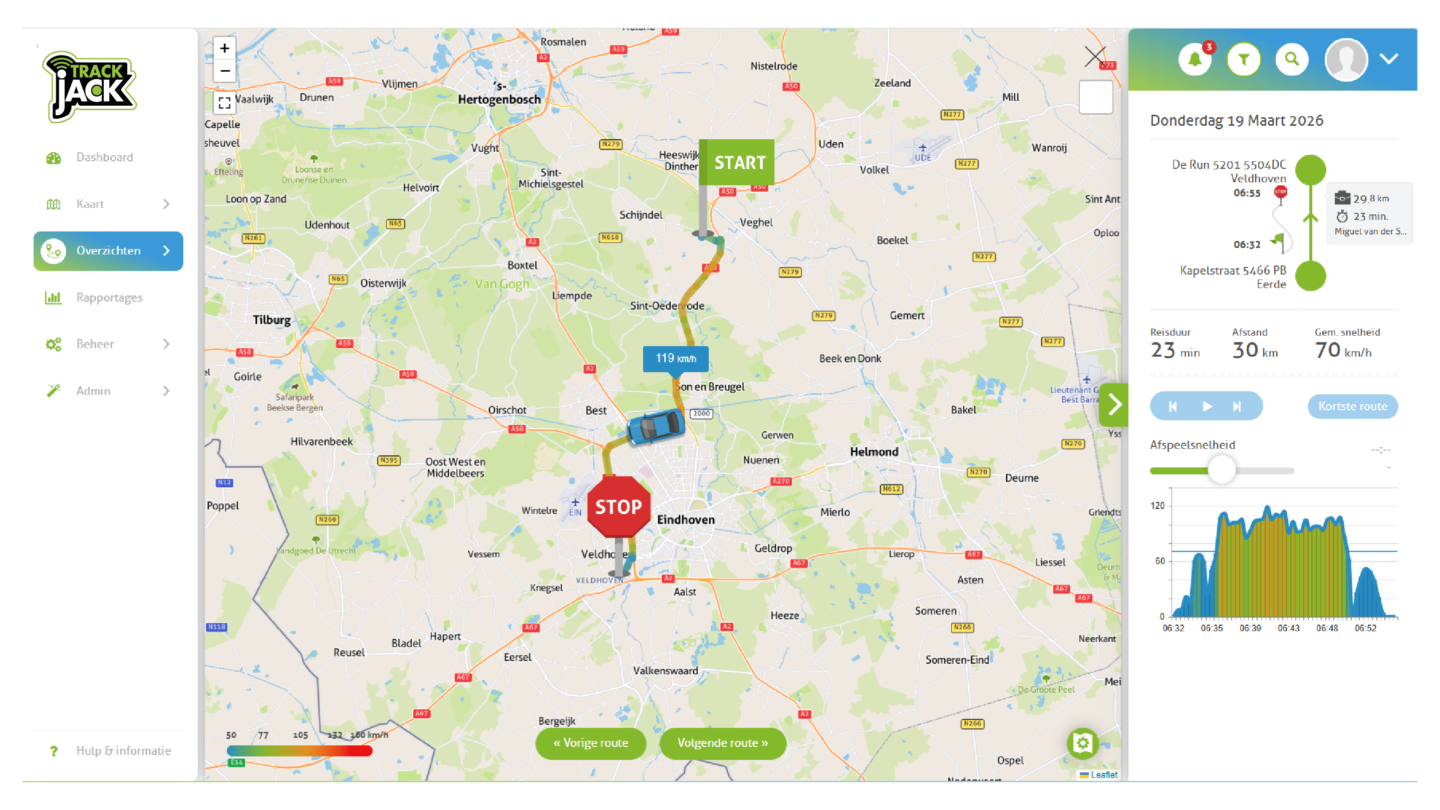
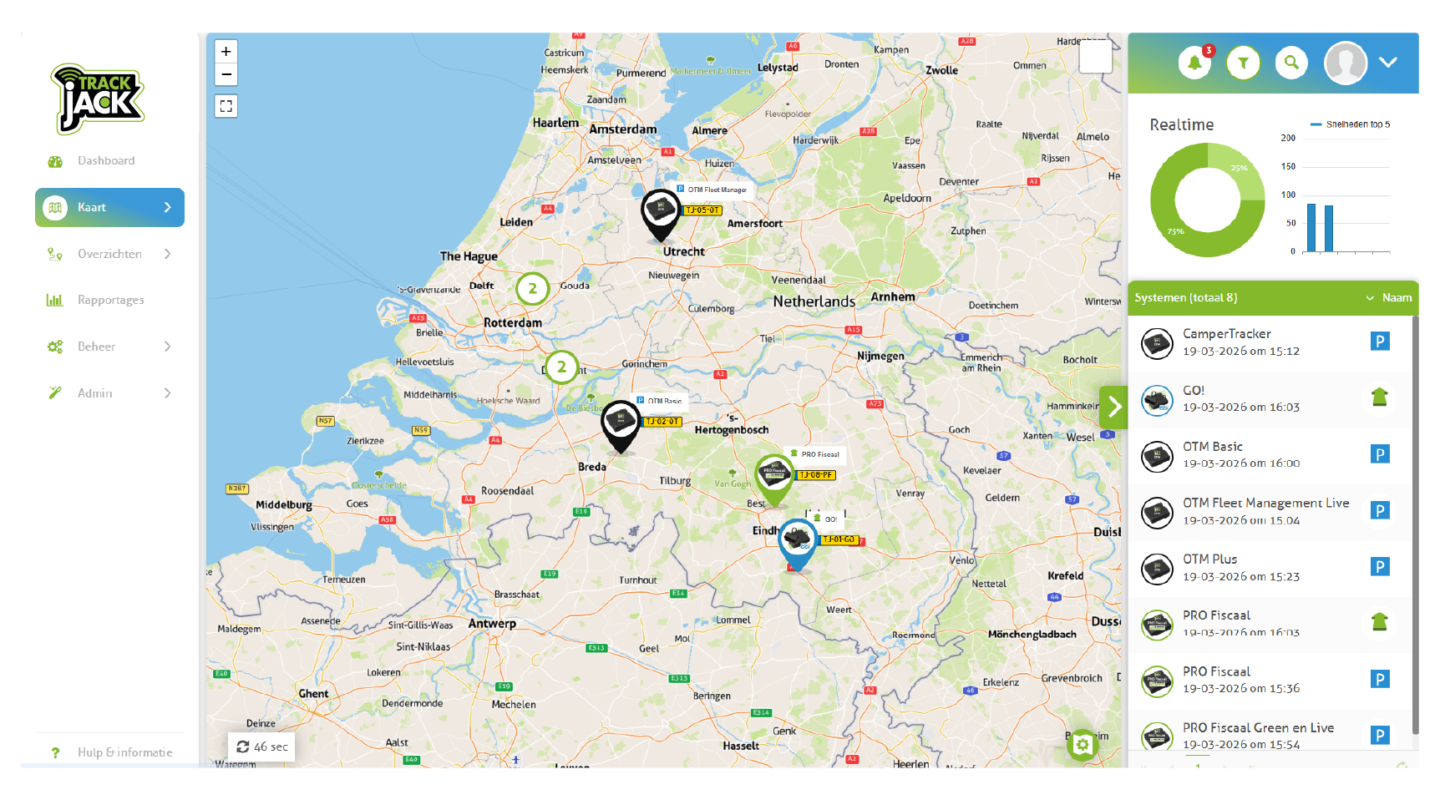


Insight into driving behaviour and your carbon footprint
Go green with TrackJack Green Driving. Not only will you gain insight into the sustainability of your fleet, but you’ll also be able to take immediate action.
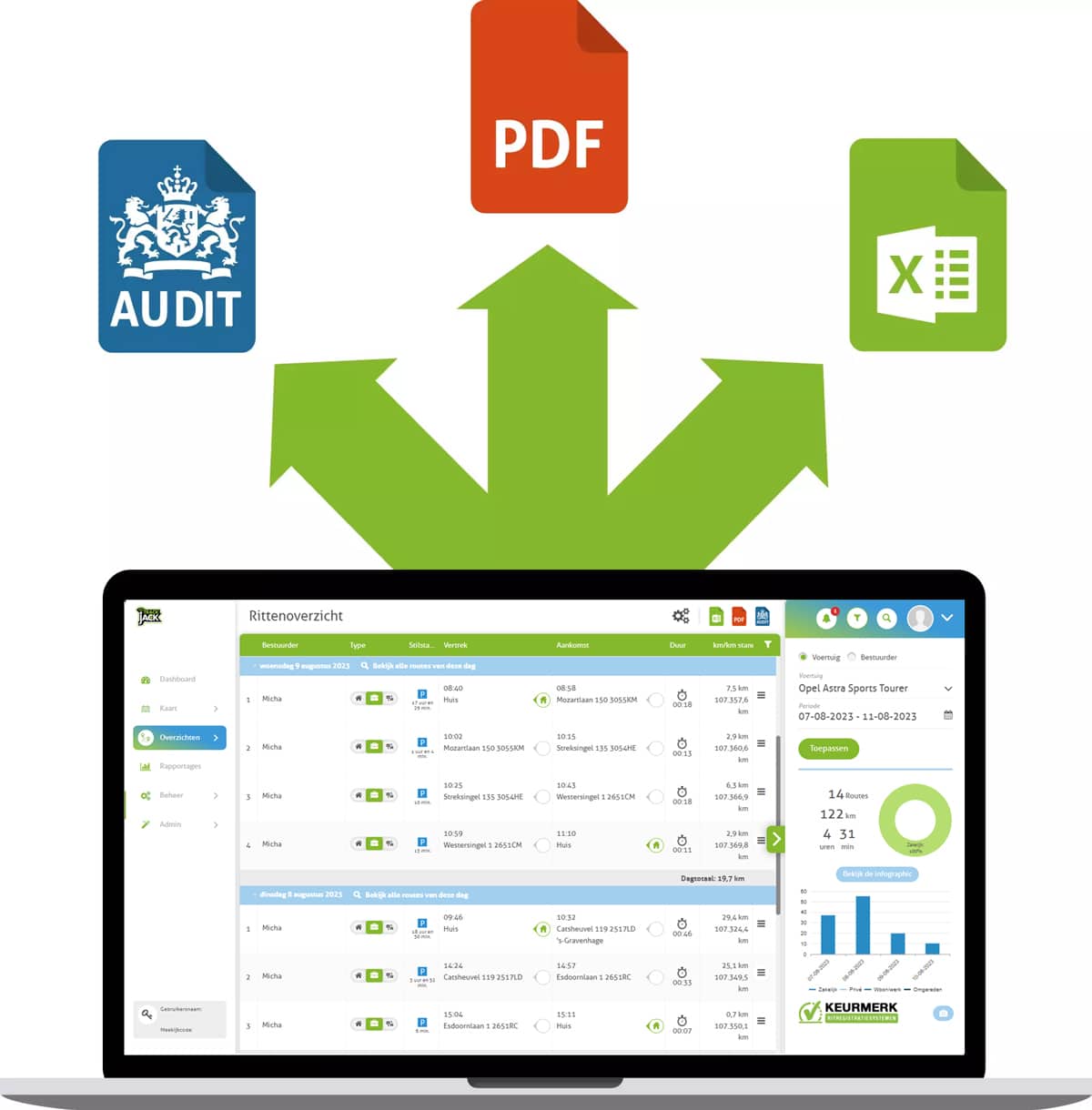
Download your journey log easily as an Excel or PDF file
With just a few clicks, you can download your full journey log to Excel, PDF or an Auditfile for the tax authorities.
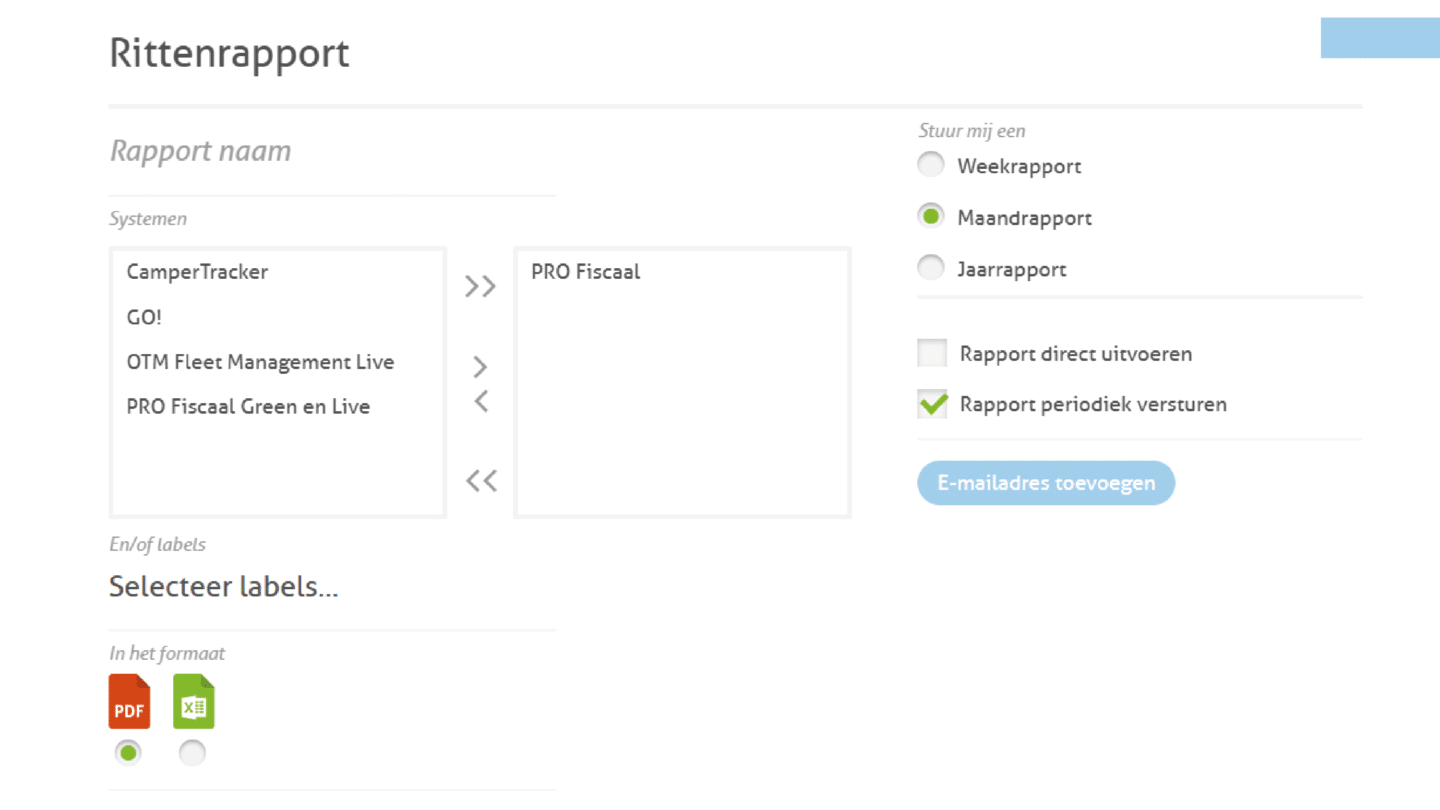
Would you prefer to receive the reports automatically? If so, we’ll send them directly to your inbox on a weekly or monthly basis. Our software takes care of it for you.
Your data is secure and reliable
Your data is in safe hands with us. You can rest assured that our journey logging system is completely secure and fully compliant with GDPR regulations.
Do you have more than one driver per car?
In that case, please use driver identification. Each driver receives their own ID key and scans it in the car before setting off. This ensures that the driver is recorded for every journey. If the key is not scanned, an optional beep sounds to ensure that scanning is never forgotten.
Here’s what our customers say
Reviews are collected via TrustPilot and Google.

Frequently Asked Questions (FAQ)
A journey log involves recording every journey you make in a vehicle. This allows you, for example, to prove to the tax authorities that you do not drive more than 500 kilometres privately per year in a company car. As a result, you do not have to pay additional tax on the private use of the company car.
You can keep a logbook manually or automatically using a logbook device in the car.
Yes, this is the case, for example, if you drive a company car for private purposes for less than 500 kilometres a year. In that case, you must keep a logbook for the tax authorities. The alternative is to pay additional tax.
In addition, a logbook may also be required for other purposes, such as keeping track of business journeys in a private car.
There are a number of situations in which you do not need to keep a logbook. For example, if you drive more than 500 kilometres for private purposes in a company vehicle and therefore pay additional tax.
You also do not need to keep a mileage log if you or your employee has a van that is not used outside office hours. However, it is important that you can demonstrate that the van is not actually used for private purposes.
In practice, therefore, a logbook is often kept anyway, just to be on the safe side.
"Keeping a logbook involves recording all the mileage and journeys made in a vehicle. This can be done in various ways:
- Manually using a logbook
- Manually/digitally using an Excel file
- Manually/digitally using a mileage log app
- Fully digitally using a built-in GPS journey log system
The last option takes the least time. With TrackJack’s GPS journey log system, all journeys, including mandatory tax requirements, are automatically recorded."
Our GPS journey log device makes keeping track of your journey logs a breeze. The system is installed in the car and then automatically records all mileage, journeys, addresses and other data required by the tax authorities.
All data is immediately accessible via the online software platform. There, you can edit the journeys if necessary and then easily download them. Everything is fully digital, so you no longer have to deal with the hassle of manually keeping track of your journeys.
Are you looking for a 100% tax-compliant journey log system?
The TrackJack PRO Tax 2 is the most affordable journey and mileage logging system, specially developed to meet the requirements of HM Revenue & Customs. The system has been awarded the Journey Logging Systems Quality Mark, and we are even members of the advisory board. You can’t get any closer to the source than this.
Do you drive a private car and want to avoid additional tax liability? Then the TrackJack GO! is the best OBD journey log on the market. You can easily install the tracker yourself on your vehicle’s OBD2 port. You can then easily keep track of all your journeys and locations via the smartphone app and your PC.
If you keep a log of your journeys for the tax authorities, the statutory retention period is seven years. In the event of an audit, the tax authorities may therefore request data going back up to seven years. See also: How do the tax authorities check my journey log?
"A mileage log for the tax authorities must include the following details:
- The make of the car
- The model of the car
- The car’s registration number
- The period during which you have the car at your disposal
For each journey: the date, the starting and ending odometer readings, the departure and arrival addresses, the route you took, the nature of the journey (private or business), and the private detour kilometres (if you drive business kilometres during the same journey). A journey log device records this data fully automatically."
Contrary to popular belief, you do not need to send your mileage log to the tax authorities every year. Only if the tax authorities deem it necessary will you be asked by post to submit your mileage log.
It is worth noting that the tax authorities regularly carry out checks on business vehicles. This happens, for example, at weekends, at locations considered to be private, such as Ikea or amusement parks. They use scanners or scanning vehicles for this purpose.
If, for example, your company vehicle is spotted on a Sunday morning in the car park of Efteling or Ikea, the Tax and Customs Administration will check whether you are paying additional tax liability for the vehicle. If this is not the case, this may prompt them to request your mileage log. They will check whether you drive no more than 500 kilometres for private use per year and whether the journey in question has been correctly recorded in the mileage log, including the correct destination.
If this journey is recorded as business, you must be able to demonstrate why it was actually a business journey.
As a self-employed person, you’re probably already busy enough running your business and don’t want the added administrative hassle. If you want to avoid paying the additional tax liability, you must be able to prove that you drive fewer than 500 private kilometres per year.
With our journey log system, you’ll save a lot of time and meet all tax requirements. The system is also suitable for proving that you’ve driven business kilometres in your private car.
On this page, you’ll find all the information you need about journey logging for self-employed professionals.
In some cases, you may be asked to submit your journey log. This is the case, for example, if:
-
the tax authorities request it (see also: How do the tax authorities check my mileage log?);
-
you need to be able to show your employer how many private kilometres you have driven in a company car;
-
you wish to claim mileage from a client and they ask for proof.
With TrackJack’s journey log system, you’ll always be able to provide the correct information. The system meets all tax requirements and records your journeys with great accuracy.
TrackJack’s journey tracking system records all your journeys using a GPS device similar to a small GPS tracker. All journeys are immediately visible in the online portal, so you always have access to your journey data. This includes on your smartphone and tablet.
Do you need a printout of the data? That’s easily arranged. What’s more, the system meets all the requirements of the tax authorities.
TrackJack has developed its own journey tracking app for Android and iOS. Almost all the features available in your online account are also available in the app, such as:
- view current locations
- speeds travelled
- journey overviews
- the privacy button
- journey animations and graphs
- hourly summaries
- mileage summaries
- account settings
- system settings
- alert notifications
"
If you were required to keep a log of your journeys but failed to do so, you risk facing heavy fines from the tax authorities. The tips below will help you minimise the damage as much as possible:
1. Start a digital mileage log immediately
Start a digital mileage log as soon as possible, where all mileage and journeys are automatically recorded via GPS. With a GPS mileage tracking system, you can be sure that your records are complete and meet all the requirements set by the tax authorities.
2. Create a manual journey log based on your diary
Take out your diary and manually create a journey log of all the appointments you have attended. Don’t forget regular routes that you might not note down in your diary, such as commutes, journeys to school or the sports club. You can create a manual journey log in Excel, for example. You can use a free Excel template for this.
A quick tip: commuting mileage is business-related. So don’t record it as private.
3. Check your records
Go through invoices, quotes and other records that can help you trace when you made your journeys. Think, for example, of speeding fines.
4. Use fuel receipts as a reference
Do you have fuel receipts in your records? Check the mileage at that time and which journeys you made before and after refuelling.
5. Check that your mileage log is complete
Check carefully that all mandatory details are included in your mileage log. The tax authorities have clear requirements for a complete mileage log.
6. Check the distances
travelled Take a critical look at the number of kilometres you have recorded per journey. For example, check via Google Maps whether the distance is actually correct. A journey that has been recorded but with an incorrect distance can still cause problems.
7. Know the risks Make
sure you are aware of what you risk with an incorrect or incomplete logbook and what penalties the tax authorities may impose for this.
No. The connectivity network is provided via so-called roaming SIM cards. These SIM cards operate on the strongest available network. TrackJack is not responsible for the quality or coverage of the network or for connectivity.
"Yes. Your journey recording system fully complies with the requirements of the Journey Recording Quality Mark (RRS Quality Mark).
You can read all about this on our page about the Tax and Customs Administration Quality Mark."