
Pair TrackJack & OutSmart
Do you ever wonder whether the hours recorded actually match the hours actually worked? The completely revamped integration of Outsmart and TrackJack makes it possible to link the vehicle’s hours directly to your employee’s hours. Never before has verification been so easy and reliable.
The mileage for all journeys is also recorded, and you can book the routes directly to a specific time type. Ideal for invoicing all your mileage. Finally, you also get the live locations of your vehicles on the planning board. Start working more efficiently now!
OutSmart is the digital solution for paper work orders, enabling significant efficiency gains. The integration between TrackJack and OutSmart delivers cost savings and provides greater insight than ever before.
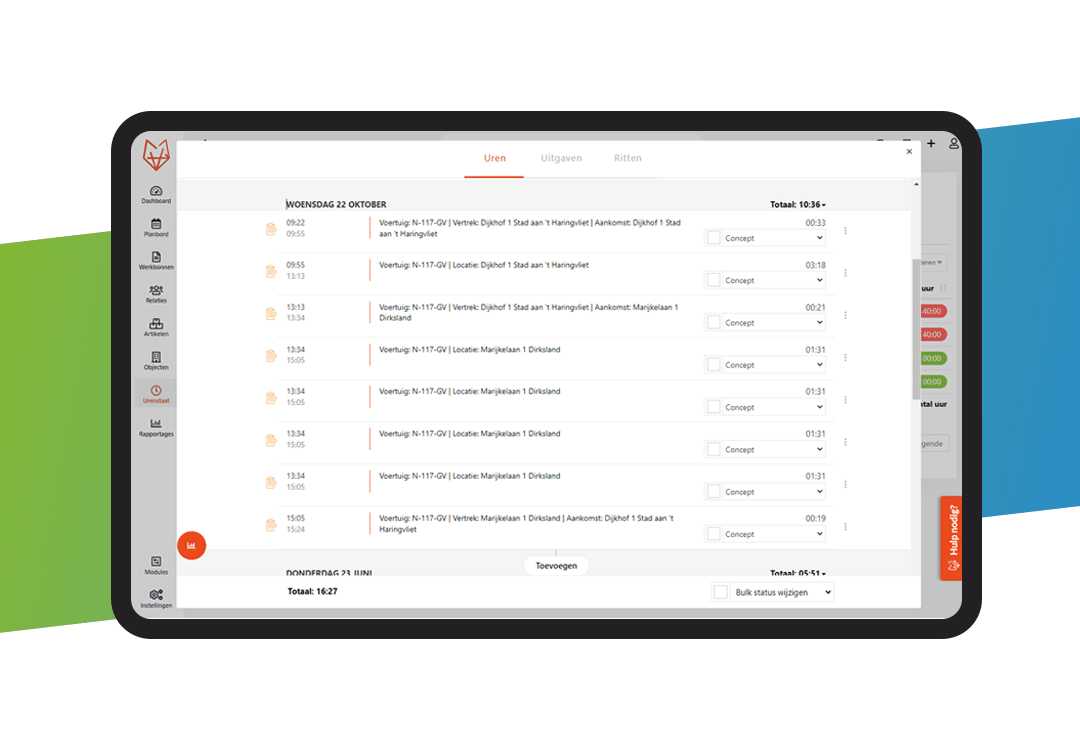
All hours and journeys automatically in OutSmart
Stop manually checking and entering your staff’s working hours. Stop booking mileage at a mileage rate. And stop manually assigning drivers to vehicles.
Start saving with the brand-new integration with OutSmart. All timesheets are recorded automatically, you can have all mileage automatically booked to a time type, and you can also automatically book hours worked to a time type.
Working efficiently has never been so easy.
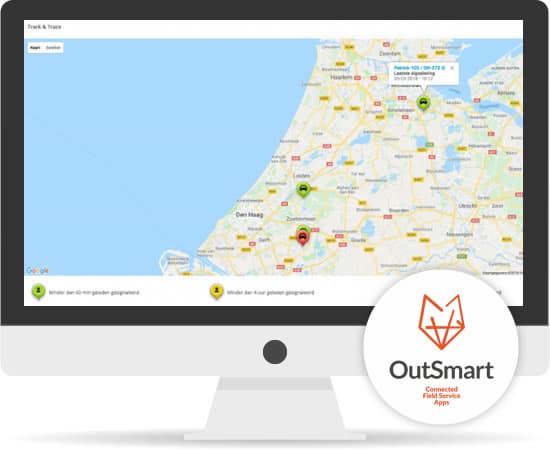
Perfect. Your vehicle locations are visible within OutSmart
In addition to your journeys and hours, vehicle location data is also sent to OutSmart via the TrackJack app. This means you always have a clear overview of the current locations of vehicles in the OutSmart app, which makes planning new orders considerably easier and faster.
What are the benefits of integration?
- Automatically log all journeys and hours
Log your journeys and hours automatically under the correct time type, leaving you simply to approve or reject them. - Quick planning based on vehicle location.
If a work order needs to be scheduled quickly at a specific location, it is very easy to view the exact location of vehicles and use this information to schedule a work order.
- Quickly provide the expected arrival time of a technician.
As the location of a vehicle is visible in real time via our planning board, it is possible to tell a customer immediately what the expected arrival time of a technician is.

Would you like to find out more about the integration with OutSmart?
Please get in touch with us. We’d be happy to tell you more about how it works and how it can be integrated, and to help you with a bespoke proposal.
Already an OutSmart customer?
Order the integration via the Licence Manager
If you are already an OutSmart customer, you can activate the integration as follows:
- Click on ‘Settings’. Now click on ‘External link’ in the left-hand menu bar under the ‘General’ heading. You will now see an overview of the active links.
- Click on the blue ‘Order connection’ button. You are now in the Order overview.
- Under the ‘Connection’ heading, you can select the connection from the drop-down menu.
- Set up the connection once via ‘External connection’ in the left-hand menu bar.
- The link costs €15 per month
Not yet a customer at OutSmart?
You can take advantage of a free trial month, during which you can test the integration with TrackJack at no cost. We recommend that you make use of this so that you can see for yourself how easily the two systems work together.
- Request a free trial month from OutSmart.
- Activate the integration in your OutSmart web account. Click on ‘Company’ in the menu and select ‘External integration’.
- Select the integration from the drop-down menu and click on ‘Order integration’ (no charges will be incurred).
- You will now receive an email with further instructions on how to set up the integration once.