How do I set up a safety zone?
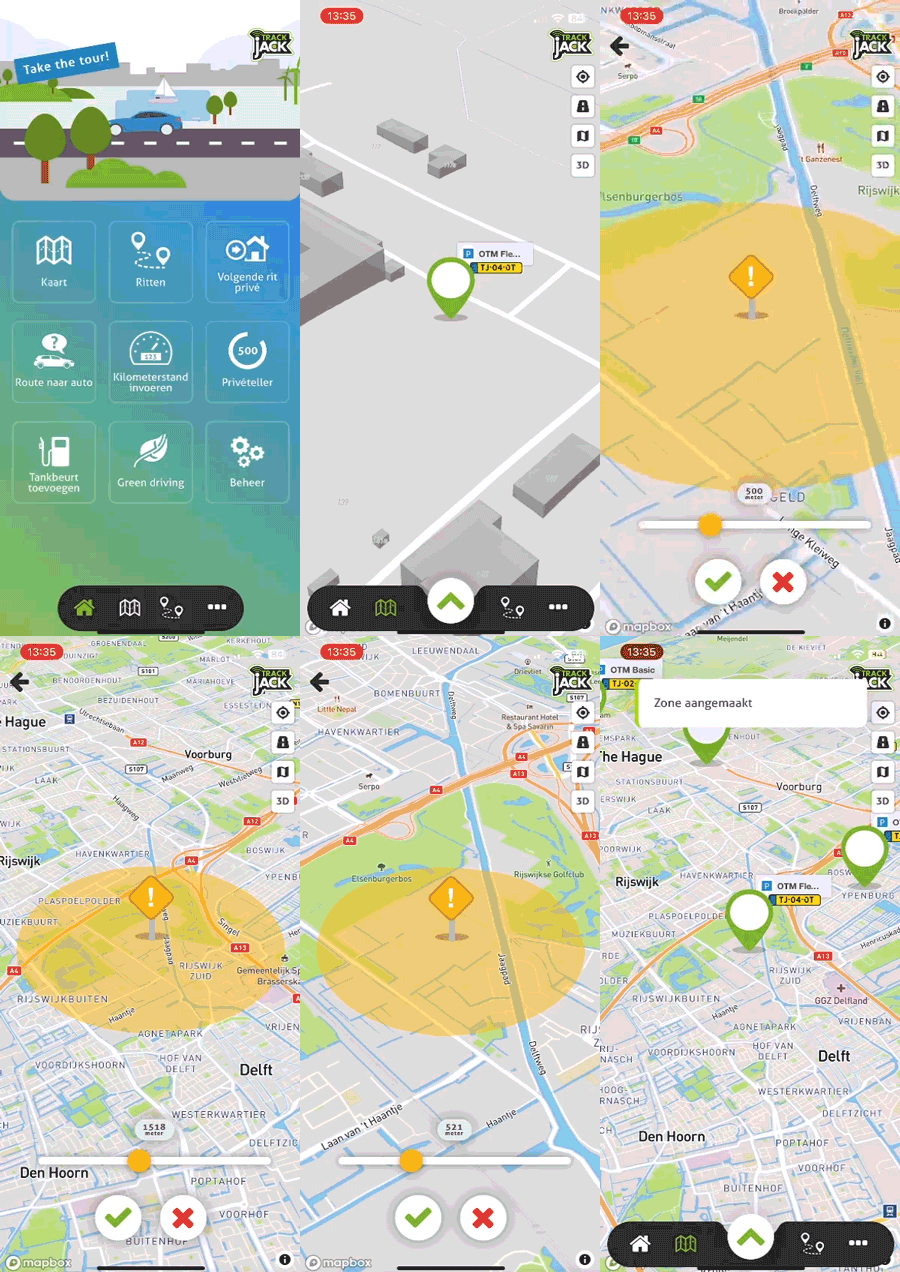
To set up your safety zone in the app, please follow the steps below.
- Open the TrackJack app and tap 'Map'
- Tap the TrackJack for which you want to set the zone
- Now select 'Set safety zone' at the bottom right of the pop-up
- Set the diameter of your safety zone using the slider at the bottom of the page
- Tap the green tick to set the zone
The zone has now been successfully set.